
Manage API keys
A pipeline uses an API key to trigger a scan, push build files or create projects. This page covers the two scopes, the creation form, where the key belongs in your CI, and how to rotate it without breaking a build.
You must be an owner or an admin of the organization to create, list or revoke keys in either scope. A member cannot list them.
Choose the scope
The prefix tells the two scopes apart in a CI variable.
| Scope | Prefix | Reaches | Managed in |
|---|---|---|---|
| Project | dt_proj_ | that project only | the project, Integrations tab, API Keys section |
| Organization | dt_org_ | every project of the organization, GitHub projects and upload projects alike | organization settings, API keys tab |
Use a project key when a repository scans itself. Use an organization key when multiple pipelines scan: one secret in a shared variable instead of one per project, and one operation to rotate instead of thirty. An organization key is also the only kind that can create projects, described in Create many projects at once.
Using a key on a project it does not cover returns a 404, the same response as
for a project that does not exist. Deptools never confirms that another
organization's project exists.
Create a key
Open the API Keys section for the scope you want, then click New API Key on a project or New key on an organization.
Name. A label for you, up to 255 characters. Name it after the place that will hold it.
Expiration. No expiration, 1 day, 30 days, 90 days or 1 year.
Allow this key to create projects. Organization keys only, and unchecked by default. Check it only if this key will provision projects through the API, described in Create many projects at once. That endpoint creates CI upload projects, and nothing else, on the Pro plan. The choice is made at creation and is never inherited: an existing scan key can never gain it.
dt_org_a1b2c3d4..., which is what the list displays.
Nobody can show you the value again, support included. Copy it
before you close the dialog. If you lose it, revoke it and create another.Revoke and rotate a key
Revoke removes the key immediately and permanently. There is no undo, and
any pipeline still using it fails with a 401 on its next run. The dialog
names the key so you can check you are revoking the right one.
Rotate in this order to avoid a red build:
- Create the new key, in the same scope.
- Update the CI variable with the new value.
- Run one pipeline and confirm the scan succeeds.
- Revoke the old key.
The Last used column tells you whether a key is still in use before you revoke it. On an organization key it tells you that someone pushed, but not which project since every pipeline shares it.
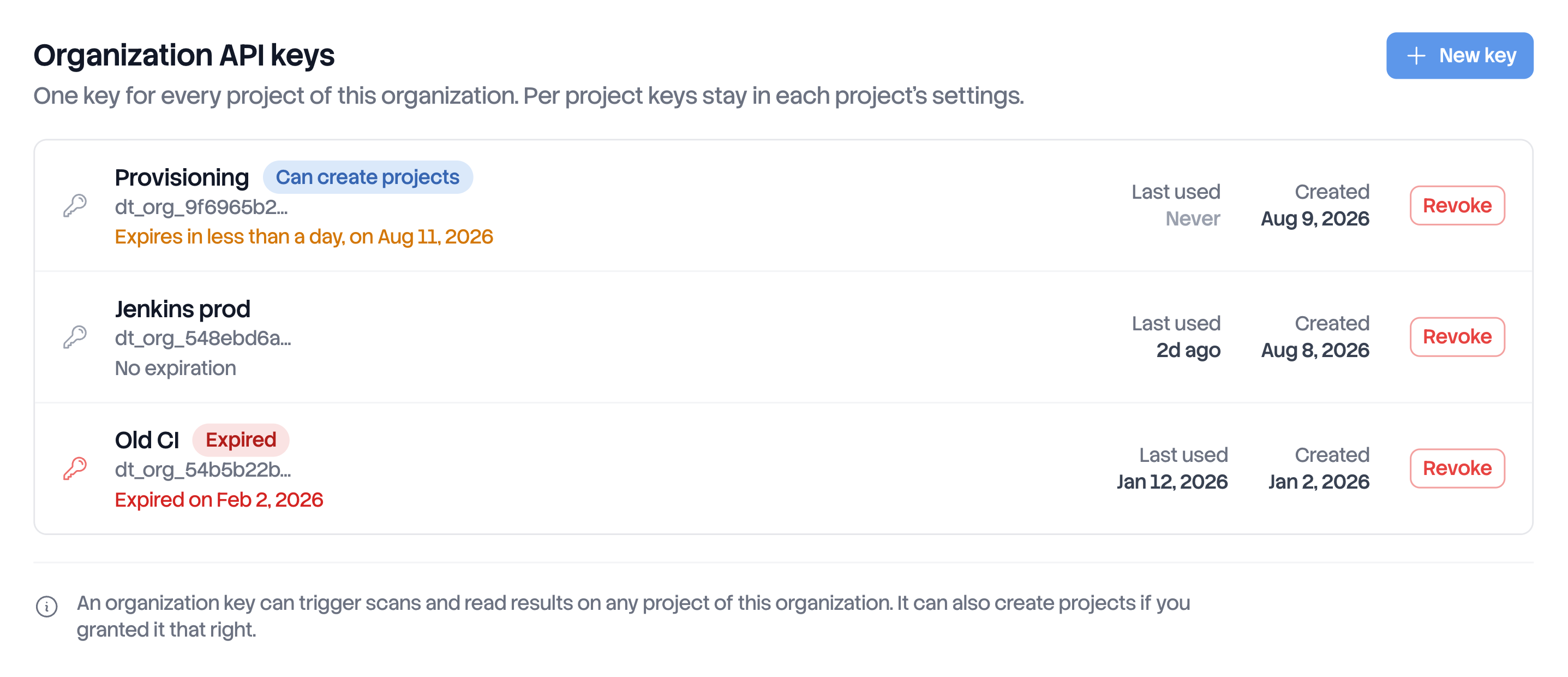
An expiration is a rotation you schedule, not an automatic renewal. An expired
key is not deleted: it stays in the list marked Expired and answers 401
with API_KEY_EXPIRED. Starting fourteen days before the date, the list shows
the days remaining in amber, which is your window to run the four steps above.
Two lifecycle rules are worth knowing before you plan a rotation:
- Deleting a project deletes the keys bound to it. Organization keys are unaffected and keep working on the remaining projects.
- A key outlives the person who created it. A departure never breaks a pipeline.
Next steps
- Scan from GitHub Actions to use the key in a workflow.
- Scan from another CI for GitLab, Jenkins and the rest.
- Create many projects at once to use a key that has the create permission.