
Analyze a project without GitHub
When Deptools cannot read your repository, your pipeline sends the build files instead. You create a CI upload project, add one job to your pipeline, and every run produces an analysis identical to the one a GitHub project gets: same graph, same score, same dashboard.
Deptools only sees what a push delivers, and that push contains only your build files.
When you need this
Take this path when your code lives somewhere Deptools cannot reach:
- A self hosted GitLab, an internal Bitbucket, or any server closed to the outside.
- A platform Deptools does not integrate with yet.
- A repository your team will not grant access to, whatever the tool.
This path is Pro only. A CI upload project has no public repository behind it, so it is always private and always occupies one private slot. Organizations and plans explains what occupies a slot and what buying one bills you.
Create an organization without GitHub
A personal organization and a GitHub organization both accept upload projects, as soon as they are on Pro. You can stop reading this section and go create the project.
Create a separate organization when you want one of these:
- Team members, since a personal organization can never have any.
- A separate bill and separate plan for a client or a department.
- A clean split between what you analyze for yourself and what your team owns.
Open the organization switcher in the navbar, Add Organization, then the Create manually tab, and give it a name. No GitHub account is involved, and none can be attached later: the organization has no GitHub tab and holds upload projects only.
The three kinds of organization, and how the plan attaches to one, are covered in Organizations and plans.
Create an upload project
Open New project and choose Upload from CI. In an organization created manually and already on Pro, the form opens directly, since it is the only possible source there.
| Field | Required | What it does |
|---|---|---|
| Project name | yes | Unique inside the organization. |
| Build system | yes | Maven, Gradle, sbt, npm or Composer. Fixed at creation. |
| Dependency scopes | no | The scopes counted in the graph and in the score. Every scope is selected by default except the test one. Fixed at creation. See Exclude dependency scopes |
| Branch | no | A label displayed in the interface. Deptools reads no branch here, your pipeline decides what it sends. Editable later |
| Subfolder / module | no | The module to analyze, for example services/api. Empty analyzes the repository root. Editable later |
Two of those five are decided once. The build system and the dependency scopes cannot be changed: to correct either one, delete the project and create it again. The freed slot stays paid and reusable, so that costs nothing.
The subfolder is the opposite. Deptools has no files to look at yet, so nothing can be validated at creation. Enter your best guess: the first push checks it against your archive, and if it matches no module, the error lists the modules it did find. Change it in the project settings, and the next push uses the new value.
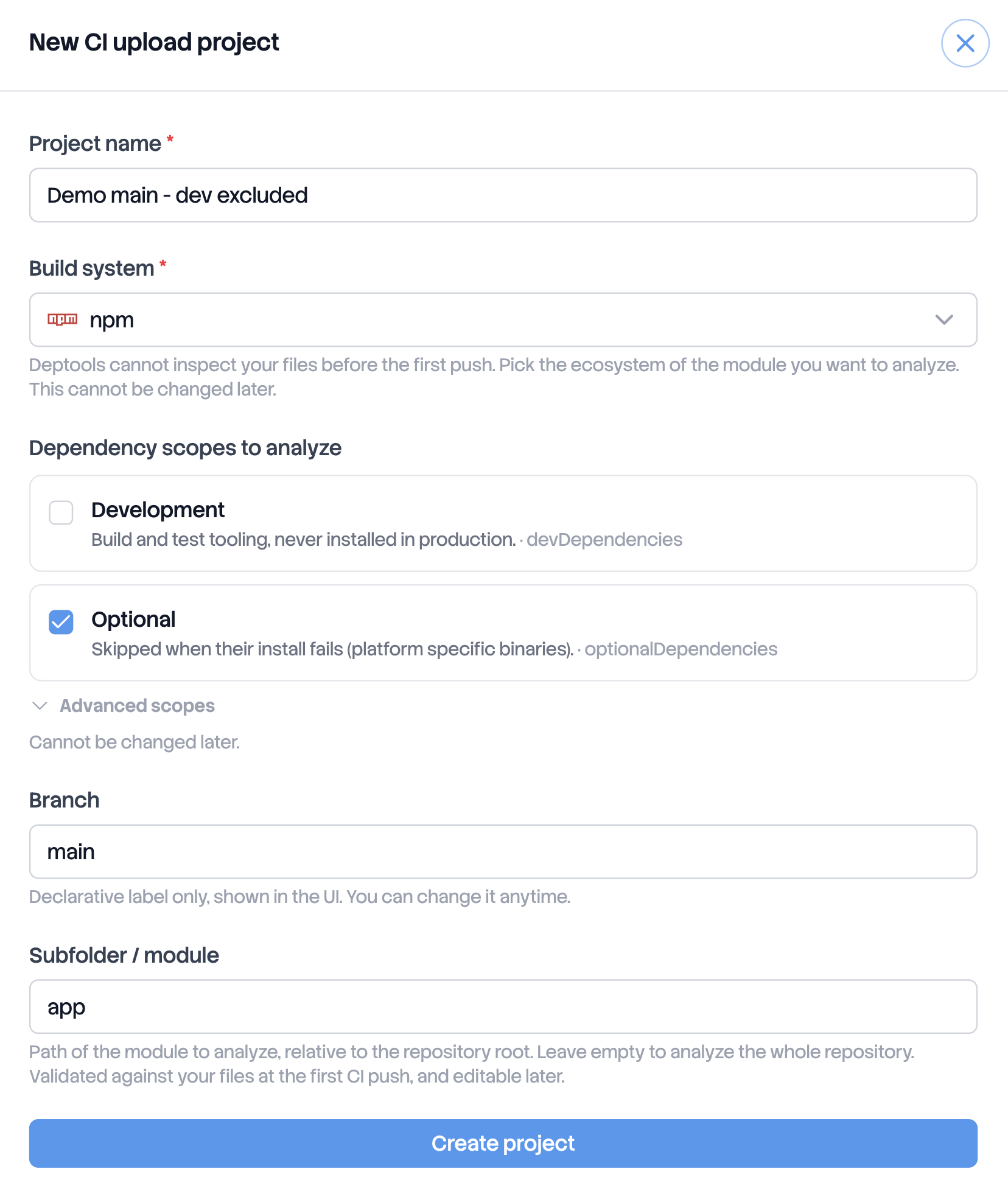
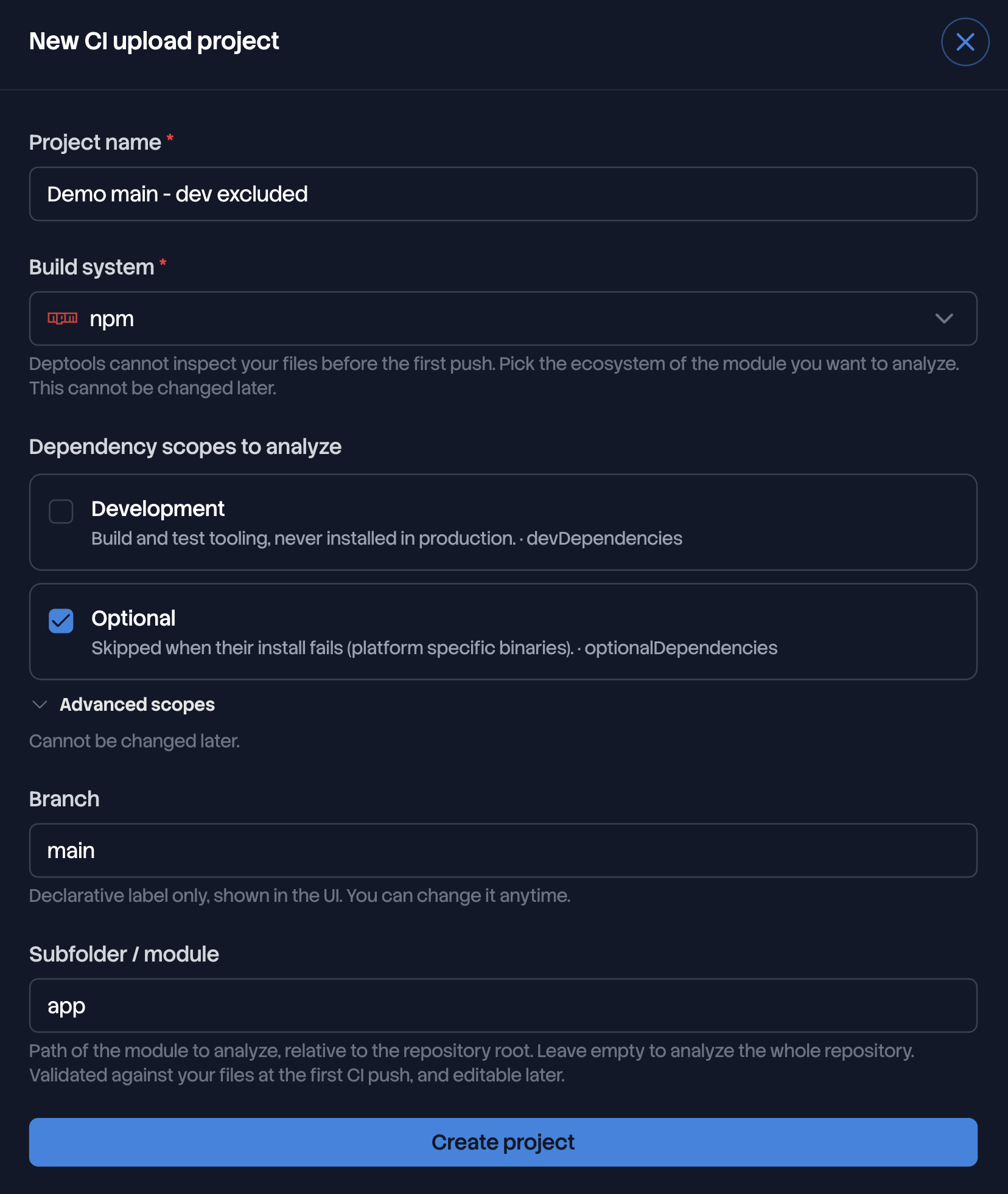
The project appears immediately, with no analysis. That is expected: there are no files yet. The first analysis comes from the first push.
Push your build files from your pipeline
Three things go into your pipeline: a key, two variables, and one job.
Get an API key
Two scopes are possible:
- A project key (
dt_proj_...), valid on this project only. To create it, open the project, then the Integrations tab. - An organization key (
dt_org_...), valid on every project of the organization. Pick this one when several repositories push from the same CI, since one shared variable then serves them all. To create it, open the organization settings, then the API keys tab.
The key is shown once, at creation. You must be an owner or an admin. See Manage API keys for expiration and rotation.
Declare two variables
| Variable | Value |
|---|---|
DEPTOOLS_API_KEY | The key you just created. Store it as a masked or secret variable, never in the YAML |
DEPTOOLS_PROJECT_UUID | The project UUID, shown in the project's Integrations tab with a copy button |
Add the scan job
Deptools serves a POSIX shell script that collects the build files, archives
them and pushes them. It needs sh, tar and curl.
# One-off scan from your machine, the quickest way to test your setup
# Run from the repository root
curl -fsSL https://api.deptools.io/deptools-scan.sh -o deptools-scan.sh

DEPTOOLS_API_KEY="dt_proj_..." \
DEPTOOLS_PROJECT_UUID="b9c105b0-..." \
sh deptools-scan.sh --wait
deptools-scan:
  stage: test
  image: alpine:3.20
  before_script:
    - apk add --no-cache curl tar
  script:
    - curl -fsSL https://api.deptools.io/deptools-scan.sh -o deptools-scan.sh
    # add --wait to block until the result and use this job as a CI gate
    - sh deptools-scan.sh
  rules:
    - if: '$CI_COMMIT_BRANCH == $CI_DEFAULT_BRANCH'
name: Deptools scan
on:
  push:
    branches: [main]
jobs:
  deptools-scan:
    runs-on: ubuntu-latest
    steps:
      - uses: actions/checkout@v4
      # add --wait to block until the result and use this job as a CI gate
      - run: |
          curl -fsSL https://api.deptools.io/deptools-scan.sh -o deptools-scan.sh
          sh deptools-scan.sh
        env:
          DEPTOOLS_API_KEY: ${{ secrets.DEPTOOLS_API_KEY }}
          DEPTOOLS_PROJECT_UUID: ${{ vars.DEPTOOLS_PROJECT_UUID }}
stage('Deptools scan') {
  environment {
    DEPTOOLS_API_KEY = credentials('deptools-api-key')
    DEPTOOLS_PROJECT_UUID = 'your-project-uuid'
  }
  steps {
    sh 'curl -fsSL https://api.deptools.io/deptools-scan.sh -o deptools-scan.sh'
    sh 'sh deptools-scan.sh --wait'
  }
}
The script takes two options:
--waitpolls until the analysis ends and exits1if it fails, which turns the job into a pipeline gate. Without it, the job pushes and returns immediately.--dir <path>collects from another directory than the current one.
It also reads the branch and the commit SHA from GitLab CI, from GitHub Actions
or from the local git checkout, and sends them as labels. DEPTOOLS_BRANCH and
DEPTOOLS_COMMIT_SHA override that detection.
A cron job works as well as a pipeline. There is no cooldown on Pro, so you can push on every commit.
What gets collected
The script and the server apply the same allowlist. Everything else in the archive is discarded, so archiving too much is harmless, only slower to transfer.
| Ecosystem | Files collected |
|---|---|
| Maven | pom.xml, at any depth |
| Gradle | every *.gradle and *.gradle.kts, including settings.gradle, convention plugins and local platform files, plus gradle.properties and libs.versions.toml. init.gradle is ignored |
| sbt | every *.sbt at any depth, plus project/*.scala and project/build.properties. Never the Scala sources under src/, never the meta build project/project/ |
| npm | package.json, package-lock.json, npm-shrinkwrap.json, yarn.lock, pnpm-lock.yaml, pnpm-workspace.yaml, bun.lock. The binary bun.lockb is never collected, it cannot be read |
| Composer | composer.json and composer.lock |
The content of node_modules/, .git/, target/, build/ and vendor/ is
never collected, at any depth, and neither are the macOS metadata files ._*.
build/ or target/ is dropped with the rest of
those directories, since they normally hold compilation output. If that is where
your real build file lives, this path cannot read it.package-lock.json, pnpm-lock.yaml, bun.lock,
composer.lock or yarn.lock in the archive, the analysis describes the tree
you actually install instead of resolving your version constraints. It is also
what limits the damage when a package is private and cannot be resolved from the
public registry.On bun, this means the text bun.lock. The binary bun.lockb, the default
before Bun 1.1.39, is skipped, so a project that ships only that one gets the
analysis of a project with no lockfile. bun install on a recent version writes
the text form.Limits on the archive
| Rule | Value | Error |
|---|---|---|
| Compressed archive | 15 MB | 413 BUNDLE_TOO_LARGE |
| Total uncompressed size | 50 MB | 413 BUNDLE_TOO_LARGE |
| One collected file, uncompressed | 5 MB | 413 FILE_TOO_LARGE |
| Entries in the archive | 5 000 | 413 TOO_MANY_ENTRIES |
| Encoding of collected files | strict UTF-8 | 400 INVALID_ENCODING |
| Paths | relative, no .., no absolute path | 400 INVALID_ENTRY_PATH |
| Entry types | regular files only, no symbolic links | 400 UNSUPPORTED_ENTRY_TYPE |
The entry count is checked on the archive, before the allowlist runs. So prune
node_modules/ on your side to keep a large project under the ceiling, even
though the server would have discarded those files anyway.
Without the script
Any HTTP client works. The request is one multipart POST:
POST https://api.deptools.io/v1/projects/<uuid>/scan
Authorization: Bearer dt_org_...
Content-Type: multipart/form-data
| Field | Required | Description |
|---|---|---|
bundle | yes | The tar.gz archive, paths relative to the repository root |
branch | no | Branch label, for traceability |
commitSha | no | Commit SHA, for traceability |
# From the repository root: archive the build files
tar czf bundle.tar.gz $(git ls-files '*pom.xml' '*.gradle' '*.gradle.kts' \
  '*gradle.properties' '*libs.versions.toml' '*.sbt' '*project/*.scala' \
  '*project/build.properties' '*package.json' '*package-lock.json' \
  '*yarn.lock' '*pnpm-lock.yaml' '*pnpm-workspace.yaml' '*npm-shrinkwrap.json' \
  '*bun.lock' '*composer.json' '*composer.lock' \
  ':(exclude,glob)**/node_modules/**' ':(exclude,glob)**/vendor/**' \
  ':(exclude,glob)**/target/**' ':(exclude,glob)**/build/**')

# Push archive to Deptools
curl --fail-with-body -sS \
  -H "Authorization: Bearer $DEPTOOLS_API_KEY" \
  -F "bundle=@bundle.tar.gz" \
  -F "branch=$CI_COMMIT_REF_NAME" \
  -F "commitSha=$CI_COMMIT_SHA" \
  "https://api.deptools.io/v1/projects/$DEPTOOLS_PROJECT_UUID/scan"
# → 202 { "jobId": "abc123", "pollUrl": "/v1/scans/abc123/status" }
A 202 means the archive was accepted and the analysis started. Poll pollUrl
with the same key to follow it. The response carries status, then a result
block once it reads completed. Gate your pipeline on that block:
{
  "jobId": "abc123",
  "status": "completed",
  "createdAt": "2026-08-09T10:00:00.000Z",
  "result": {
    "overall_score": 7.4,
    "dependency_number": 182,
    "vulnerabilities_by_severity": { "CRITICAL": 0, "HIGH": 2, "MODERATE": 5, "LOW": 1 },
    "commercial_use": false,
    "direct_up_to_date": 84
  },
  "error": null
}
The push endpoint accepts 60 requests per hour and per IP address, the status endpoint 120.
What Deptools keeps from your archive
This is the only path where your files reach Deptools at all.
The archive is filtered as it arrives. It is never written to disk and never extracted into a directory tree: it is read as a stream, every entry outside the allowlist above is dropped immediately, and the rest is kept as text in a single snapshot. Nothing in it is ever executed.
That snapshot is deleted as soon as the analysis reaches a terminal state, whether it succeeded or failed. Deptools keeps the analysis result afterwards, the graph, the scores and the metrics, exactly as for a GitHub project.
So a source file that slipped into your archive is discarded before the analysis starts, and a build file is deleted when the analysis ends. See https://deptools.io/privacy for retention and personal data.
Check that the first push worked
The Integrations tab follows the setup end to end and updates on its own, no refresh needed. Its last step reports what happened to your first push: Waiting for your first push, then the analysis running, then First analysis received, or the failure and its reason.
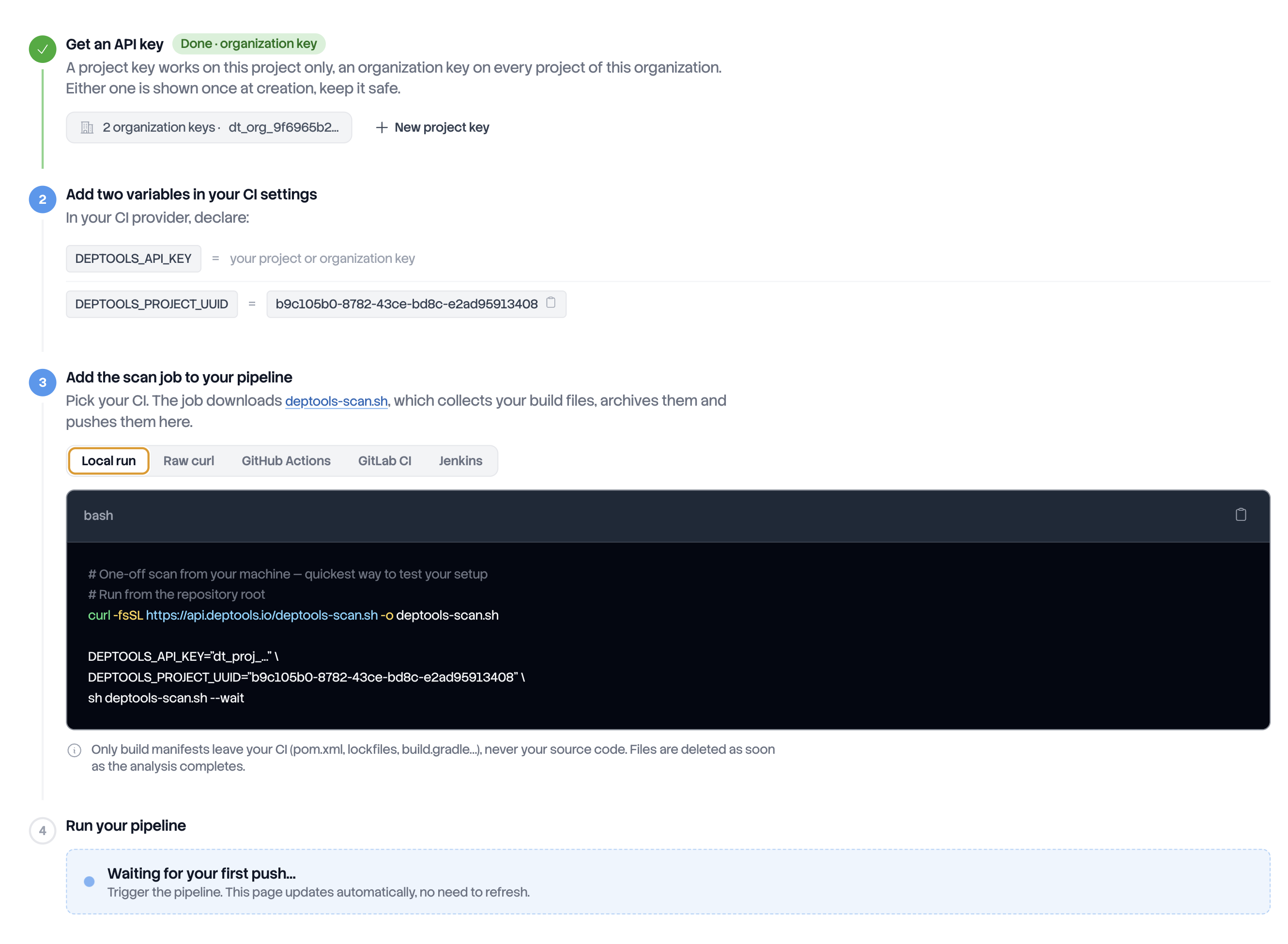
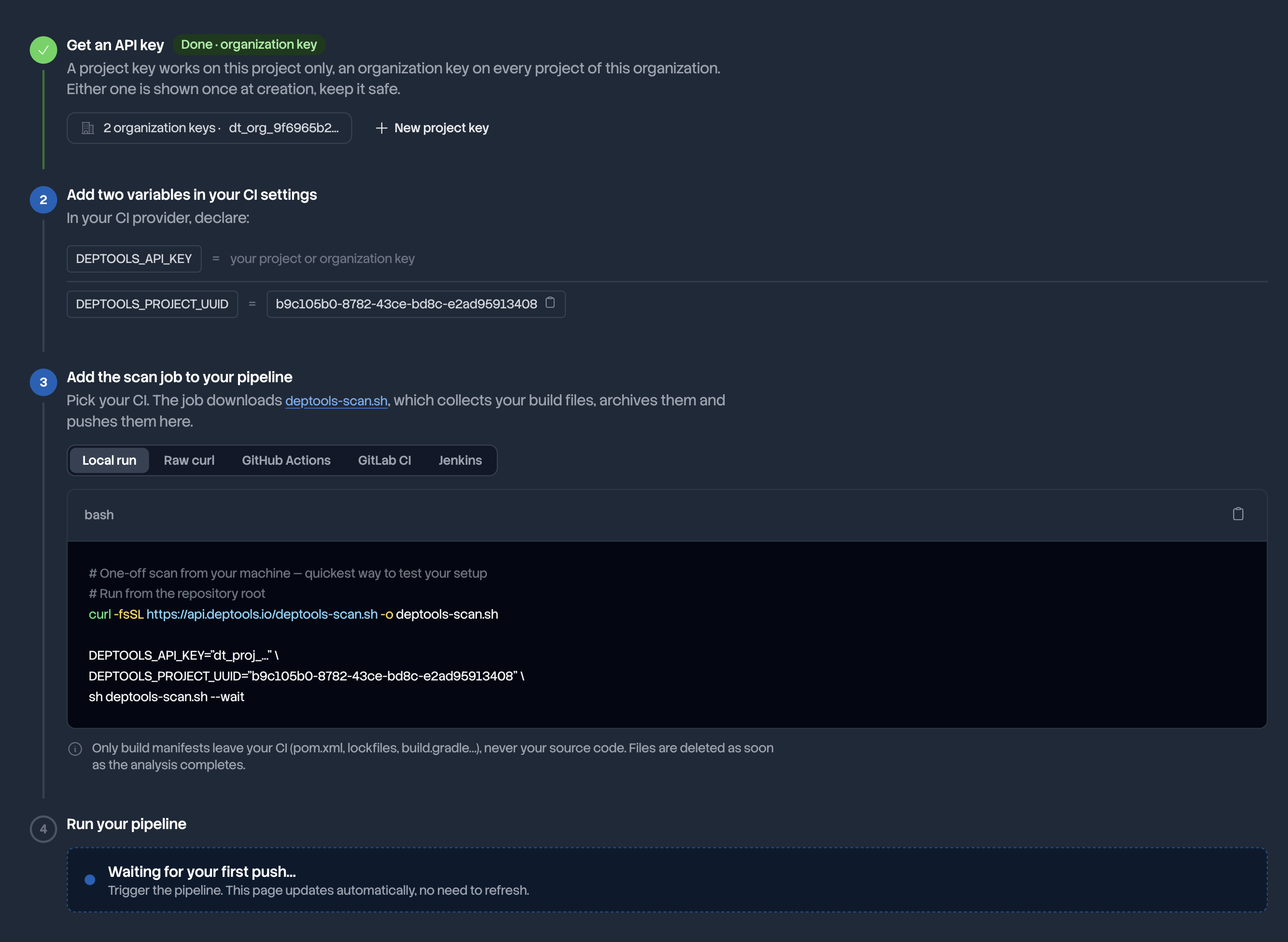
Once the first analysis arrives, the project behaves like any other: the dashboard, the history and the exports all work the same way. One difference stays visible, and it is deliberate. Where a GitHub project offers a Run scan button, an upload project offers CI setup, which opens the Integrations tab. Deptools has no way to fetch your files on its own, so every analysis comes from a push.
When the push is refused
Rejections happen before the analysis starts, and the message names the cause. The script prints it, and prints the module list or the detected build systems when the response carries them.
| HTTP | Code | Meaning and fix |
|---|---|---|
| 401 | Key missing or malformed. The header is Authorization: Bearer dt_org_... | |
| 401 | API_KEY_EXPIRED | The key passed its expiration date. Create a new one |
| 403 | PRO_PLAN_REQUIRED | The organization is not on Pro, or no longer is |
| 404 | Unknown UUID, or a project outside the key's scope. A project key reaches its own project only. The answer is deliberately the same in both cases | |
| 400 | BUNDLE_REQUIRED | The request carries no multipart body, or no bundle field |
| 400 | INVALID_ARCHIVE | The file is not a valid tar.gz |
| 400 | NO_BUILD_FILES_FOUND | No recognized build file in the archive. Check that the job runs at the repository root |
| 400 | BUILD_SYSTEM_MISMATCH | The archive holds no build file of the project's build system. The response lists detectedBuildSystems. The build system is fixed, so fix the archive or recreate the project |
| 400 | SUBFOLDER_NOT_FOUND | The configured subfolder matches no module in the archive. The response lists availableModules, copy the right one into the project settings |
| 400 | INVALID_ENCODING, INVALID_ENTRY_PATH, UNSUPPORTED_ENTRY_TYPE | A collected file is not UTF-8, a path escapes the archive root, or an entry is not a regular file |
| 413 | BUNDLE_TOO_LARGE, FILE_TOO_LARGE, TOO_MANY_ENTRIES | A cap above is exceeded |
| 422 | UPLOAD_NOT_SUPPORTED_FOR_GIT_PROJECTS | The UUID belongs to a project linked to a Git repository, which takes no body. Check DEPTOOLS_PROJECT_UUID |
| 429 | SCAN_RATE_LIMITED | The 60 pushes per hour are used up |
An archive is never partly accepted. When one of these errors occurs, no analysis runs and no file is stored.
When the analysis itself fails
A 202 means the archive was accepted, not that the analysis will succeed. Two
failures are specific to this path, and neither is a bug on your side:
- Maven parents and BOMs hosted on an internal registry cannot be reached from outside your network. They surface as analysis errors, and the rest of the analysis completes.
- Private packages, npm or otherwise, cannot be resolved from the public registry and are listed as skipped. A committed lockfile limits the loss, since the versions are then already pinned.
The other failures are the ordinary ones, and the project page names the cause.
Next steps
- Manage API keys to set an expiration and rotate a key without breaking a pipeline.
- Create many projects at once when a whole portfolio has to be connected.