
Exclude dependency scopes
Every project decides, when it is created, which dependency scopes it analyzes. The default excludes your test tooling and nothing else. This page explains what a scope is, what each ecosystem offers, what is worth excluding, and why a dependency you expected is not in your graph.
The choice cannot be changed later, so make it before you confirm the project.
What a scope is
A scope is the label your build file puts on a dependency to say when it is needed: to compile, at runtime, only to run tests. Each ecosystem writes it in its own way.
| Ecosystem | Where the scope is written |
|---|---|
| Maven | the <scope> tag of the dependency, plus the <optional> flag |
| Gradle | the configuration name, implementation, testImplementation, kapt |
| npm | the block that holds the entry, dependencies, devDependencies |
| sbt | the configuration suffix, % Test, % Provided |
| Composer | the block, require or require-dev |
Deptools maps every declaration onto one scope key, then filters on that key while reading your build file. An excluded dependency never enters the graph, and neither does anything involved in analysis or scoring.
What is excluded by default
The creation form starts with only your test/dev tooling excluded. Everything else is analyzed.
| Ecosystem | Scopes offered | Excluded by default |
|---|---|---|
| Maven | Compile, Runtime, Provided, Test, Optional | Test |
| Gradle | Compile, Runtime Only, Compile Only, Annotation Processor, Test, Optional | Test |
| npm | Production, Development, Optional, Peer | Development |
| sbt | Compile, Runtime, Provided, Test, Optional | Test |
| Composer | Require, Require Dev | Require Dev |
In the creation form, under Dependency scopes to analyze, a checked box means the scope is analyzed. The two most common choices are shown directly, and the rest sit under Advanced scopes.
Four things the table does not show:
- Provided and Compile Only are analyzed. A dependency supplied by your container or your application server still executes in production, so a vulnerability on it is real. You have to uncheck it deliberately.
- Maven
systemis never analyzed, whatever you check. It points at a JAR file on a local path, which no registry can resolve. - Composer platform packages are never analyzed, whatever you check.
php,ext-*,lib-*andcomposer-*describe the runtime your code needs, not packages a registry resolves. The rule is structural, a requirement with no/is a platform package, and it applies torequireandrequire-devalike. The analysis reports no error for them, so their absence is expected. - The API applies no default. This column describes the form alone. A project
created through the API with no
excluded_scopesanalyzes every scope, test tooling included. See Create many projects at once
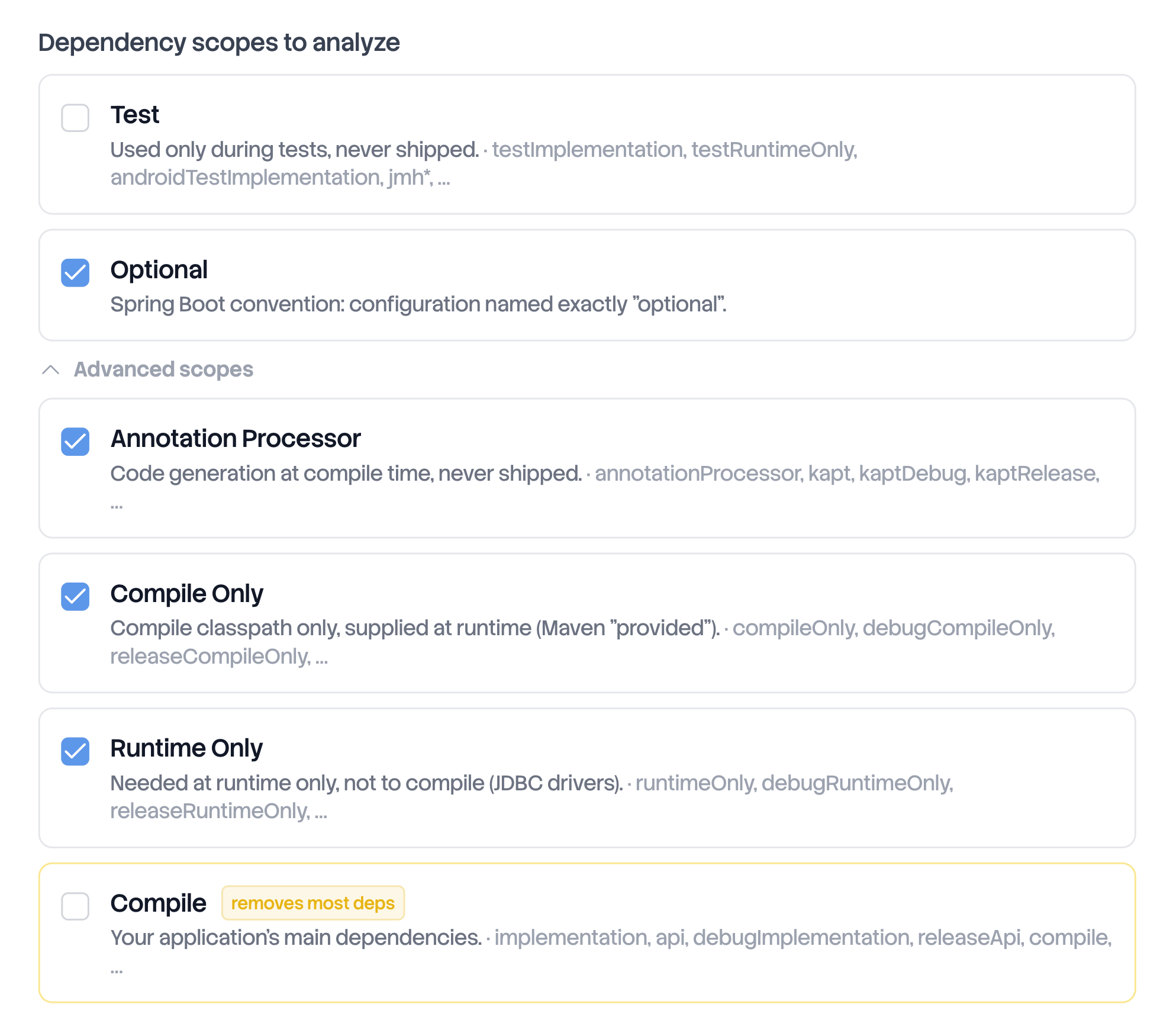
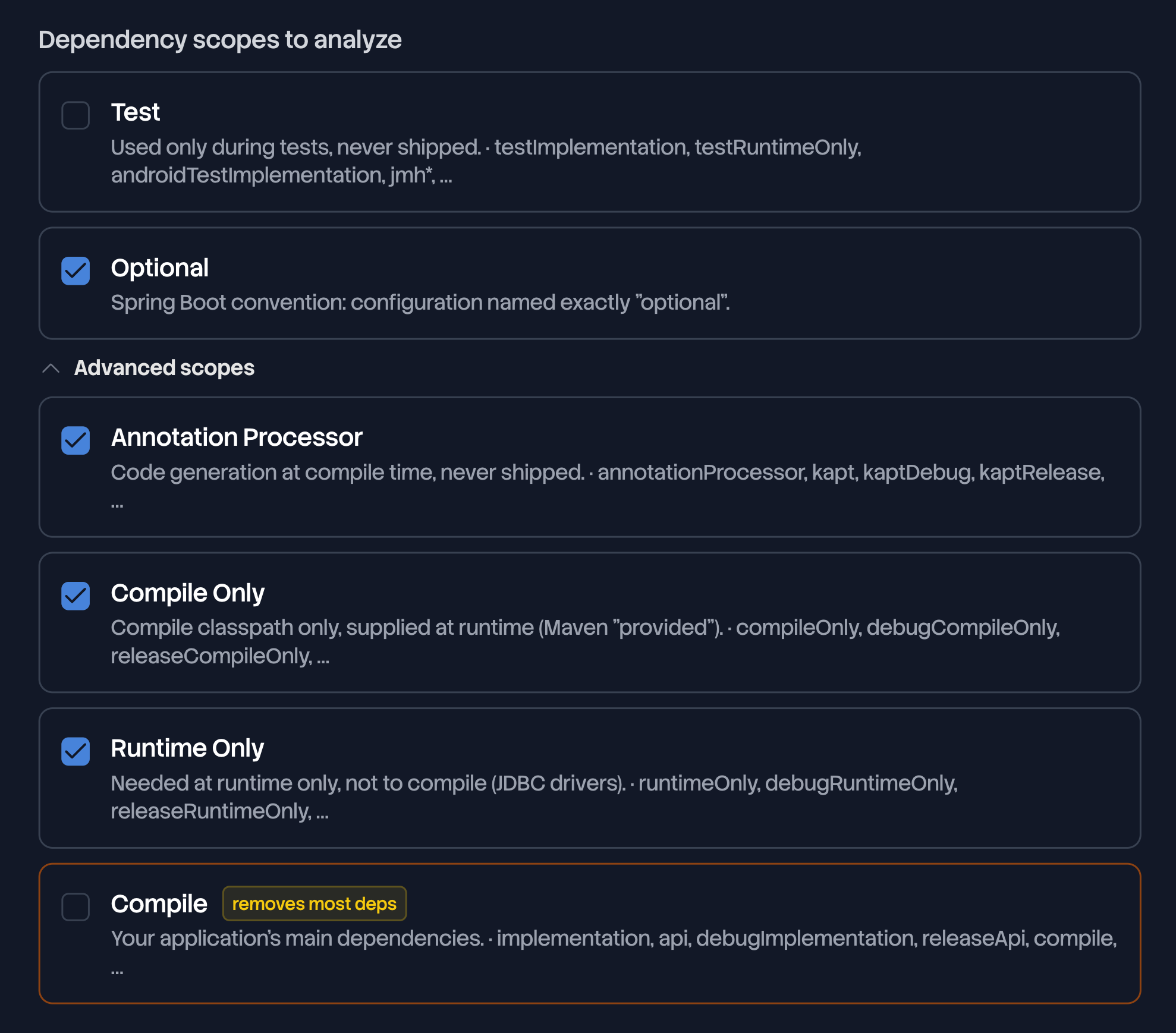
Choose your exclusions
One question decides most cases: does this dependency run in production? If it does, analyze it.
| Scope | What to do |
|---|---|
| Test, Development, Require Dev | Leave it excluded. It never ships. Include it if you also want to track your build and test tooling, which is a real attack surface, but expect a much larger graph and a score that mixes both. |
| Provided, Compile Only | Leave it included. Your code runs against those APIs in production, the container only supplies the implementation. |
| Runtime, Runtime Only | Leave it included. A JDBC driver ships with your application. |
| Annotation Processor | Exclude it if you only measure what ships. Code generators run at build time and are not on the runtime classpath. |
| Optional | On the JVM it marks a dependency your consumers will not inherit, but which is still on your own classpath. On npm it marks platform specific binaries, installed whenever they can be. Exclude it when you publish a library and want to count what your consumers actually receive. |
| Peer | Provided by the project that installs yours. Exclude it when you publish a library. |
| Compile, Production, Require | Never uncheck it. The form flags it with removes most deps, and an analysis without it measures nothing. |
Excluding a scope narrows what the analysis sees. It does not make a project safer. Two projects that exclude different scopes are not comparable either, since their scores are computed on different graphs.
excluded_scopes takes a scope key, not the label used on this
page. Development is dev, Require Dev is require-dev, Annotation Processor is annotationProcessor. The keys of the five vocabularies are listed
in create many projects at once, the only
endpoint that accepts the field.Exclusions are set once
The scope selection is fixed at creation, on GitHub projects and on CI upload
projects alike. Settings, General shows it under Dependency scope
configuration, analyzed scopes on one side and excluded ones struck through on
the other, above the line Fixed at project creation. An update through the
API that carries excluded_scopes is refused.
The selection is part of what identifies a project configuration, together with the repository, the branch, the module and the build system. So the same build file can be analyzed twice, side by side, by two projects with different exclusions: one that measures what you ship, one that also measures your test tooling. Only an identical configuration is refused, with A project with this repository configuration already exists in this organization. Each project counts toward the limit of your plan.
Elsewhere in the app, the current selection is summarized in one line on the
project card, in the project list, in the project header and on the dashboard:
All scopes included, Test scope excluded, or 2 scopes excluded. The
project header puts the build system in front of it, and hovering it lists the
excluded scopes by name.
Why a dependency is missing from your graph
Work down this list, in order:
- It is declared in an excluded scope. Open Settings, General and read the excluded side. This is the answer most of the time.
- It is only reached through an excluded dependency. Exclusion removes the whole subtree, not just the declaration.
- It is a Maven
systemdependency. Never analyzed, and not a checkbox. - It is a Composer platform package.
php,ext-*,lib-*andcomposer-*are never analyzed, and no analysis error is reported for them. - It is declared in another module. The project analyzes the module chosen at creation.
- It is declared on another branch. The project follows the branch chosen at creation.
- Deptools could not resolve it. The analysis errors reported on the Overview tab name the cause.
The reverse case has one common cause. Filtering happens per declaration, so a package declared both in an analyzed scope and in an excluded one stays in the graph, and so does a package that an analyzed dependency pulls in on its own. Excluding a scope removes declarations, never a package by name.
Next steps
- Connect a GitHub repository for the three other settings that are fixed at creation.
- The health score for what the dependencies you keep are measured on.